Step 5: Deploy a service
In the last step we will deploy your created service offering from Step 4. The new offering is now listed in the Service Offering catalog available via Menu Item Service Offerings:
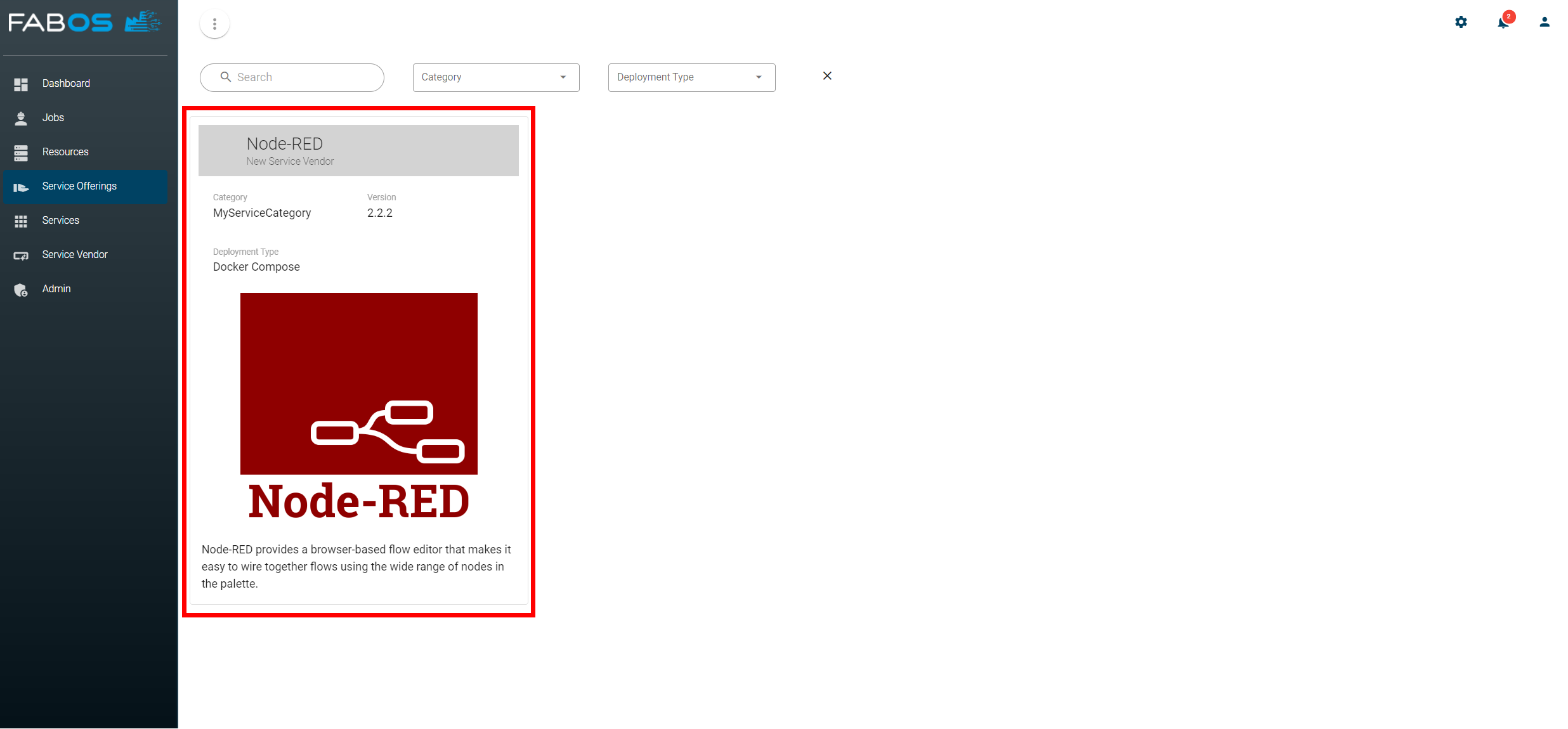
To see the details of your service offering click on it: 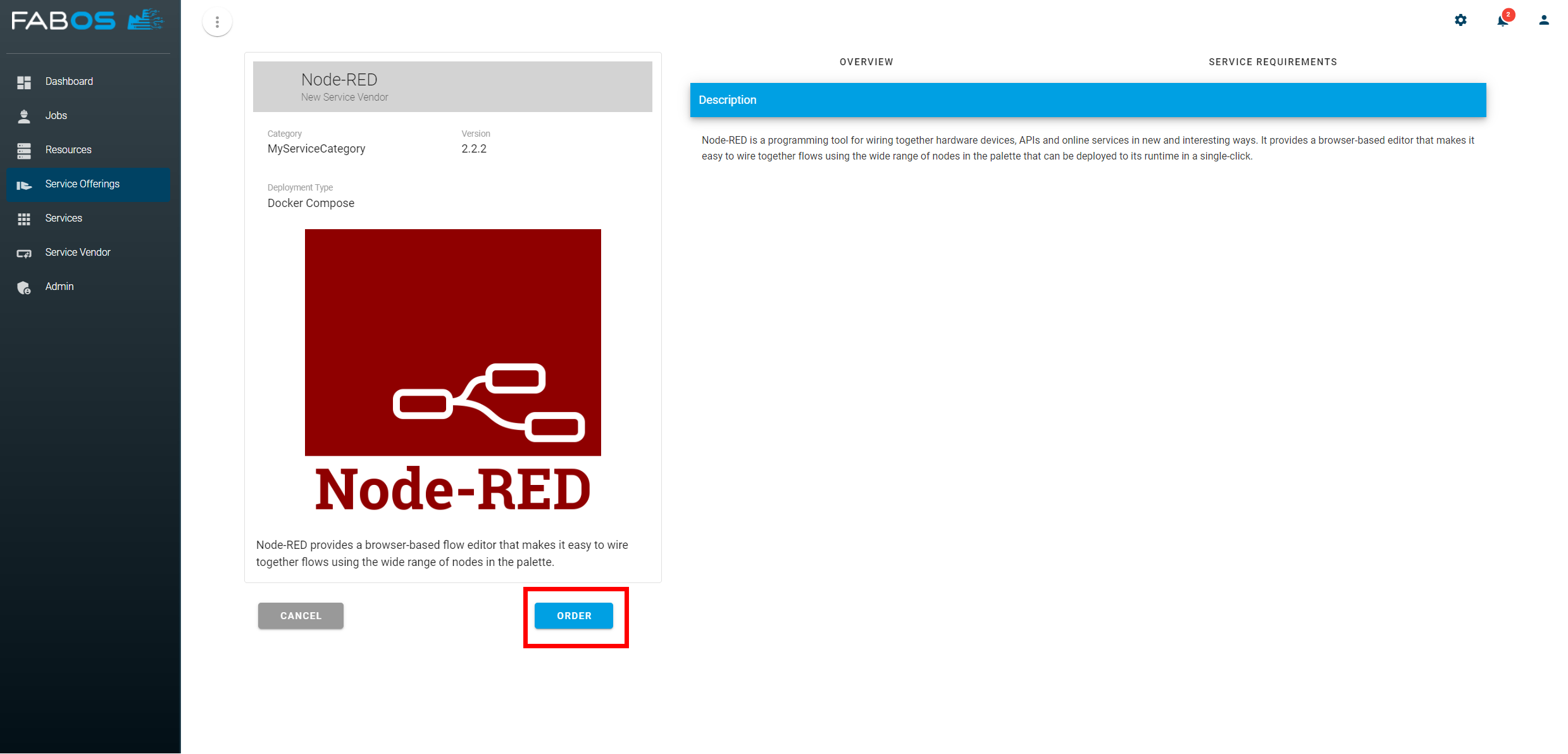
Click the ORDER button. Select the device you added in Step 1 as Deployment Resource. The service options can be changed or left at the default values. Click on the CHECKOUT button to deploy the service offering on the selected resource: 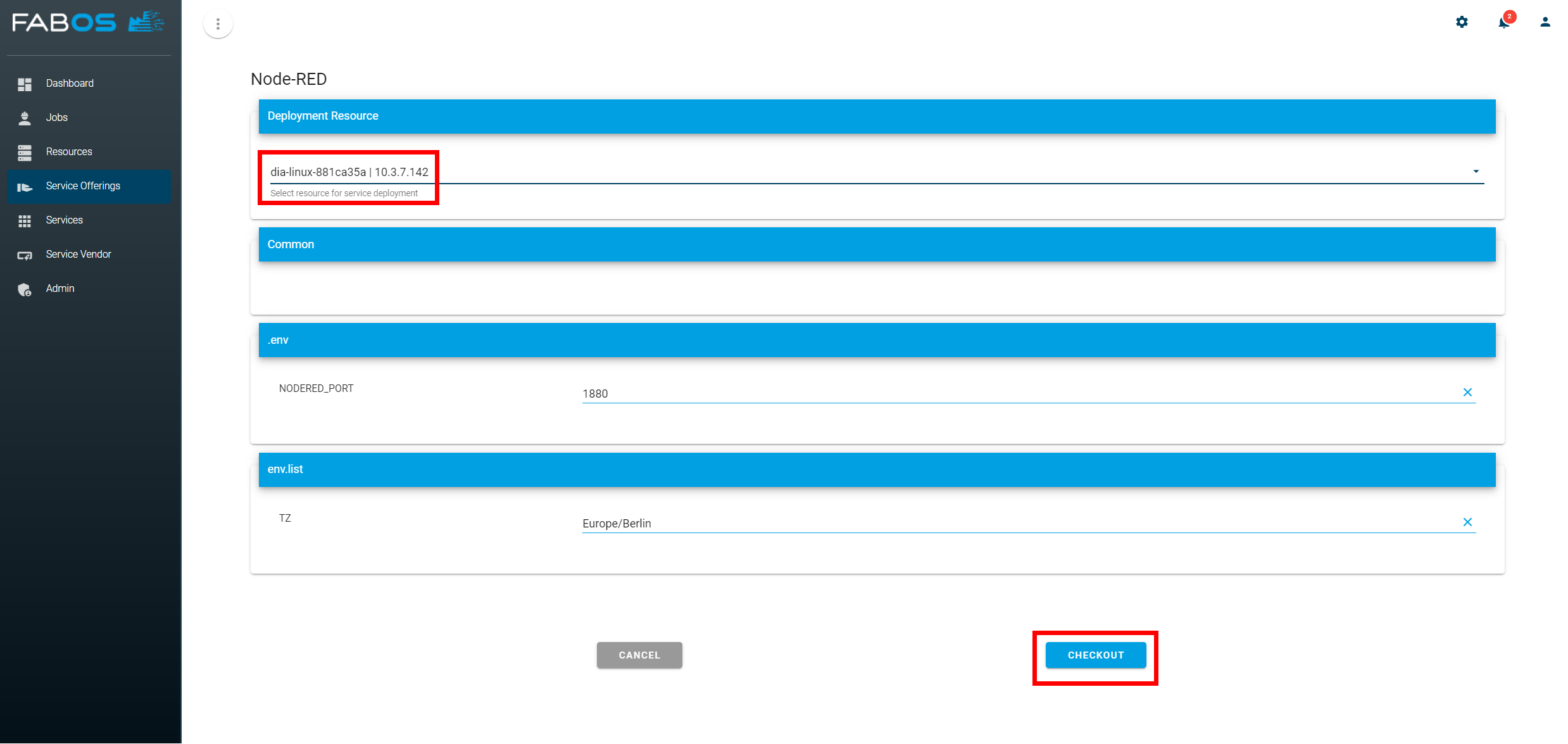
The deployment of the service on your device is triggered and will take some time. After the deployment was successfull you should see the service instance in the overview in the Services section: 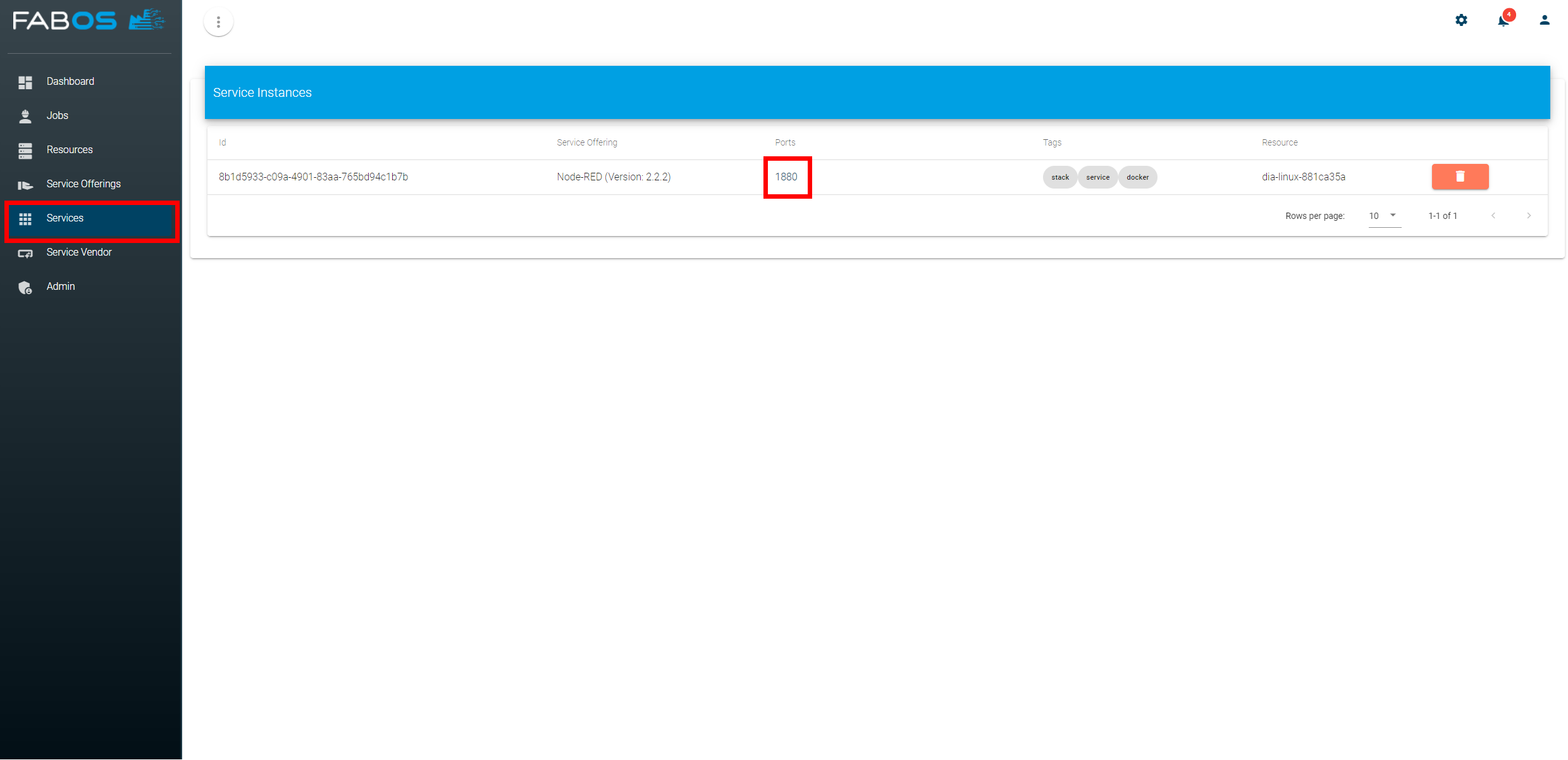
If you click on the port of the service instance your deployed Node-RED instance should open: 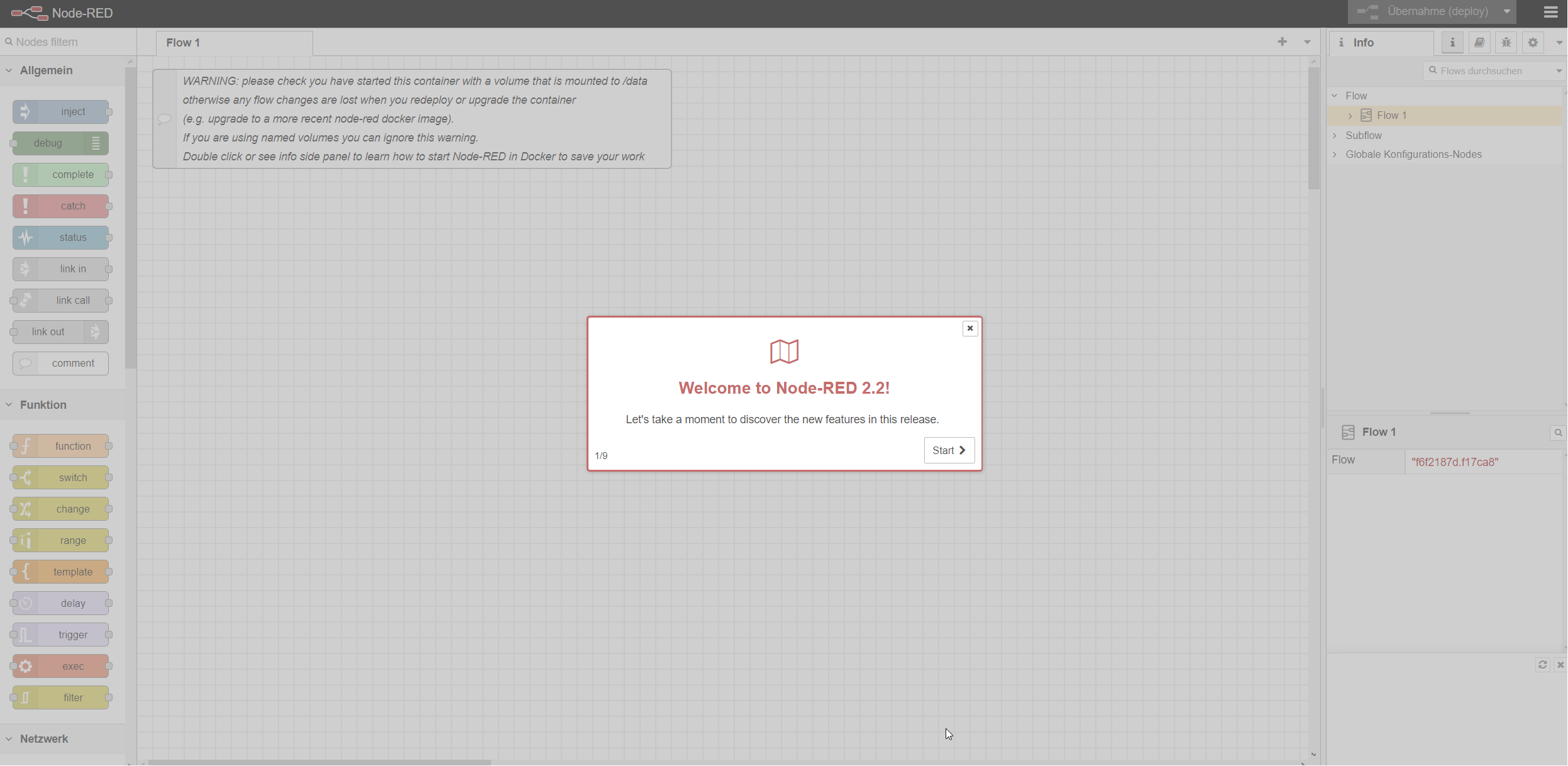
Congratulations, you have deployed your first service using the Service Lifecycle Management!
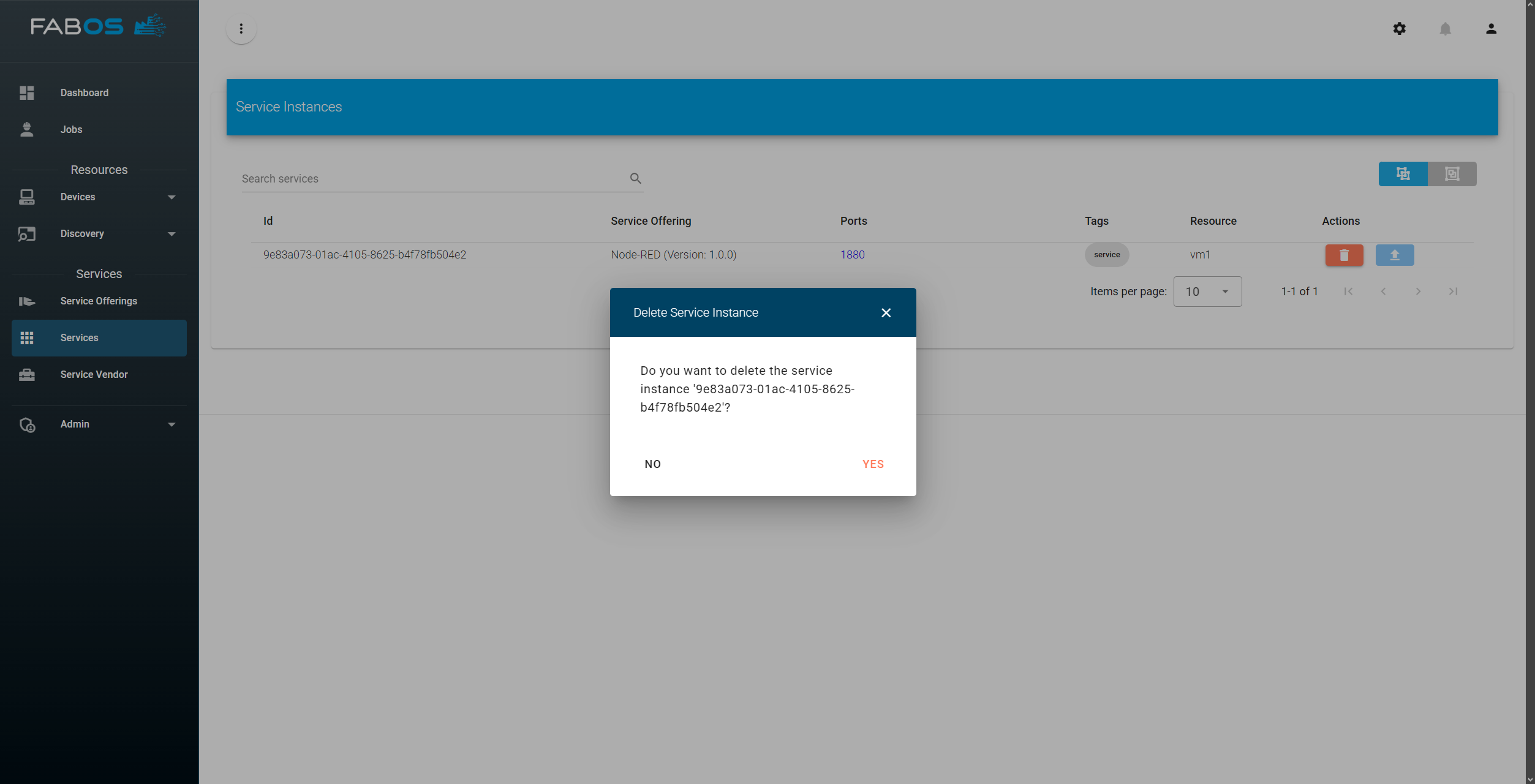
To delete the Deployment go back to the service view and click on the 🗑️ button. Confirm the deletion by clicking on YES in the pop-up: