Firmware Update
Concept
Firmware updates are executed, as well as the discovery of devices, by drivers. Based on the device information collected during discovery, SLM retrieves firmware update metadata from the manufacturers' AAS servers and evaluates it. For this evaluation, submodels based on the IDTA templates Product Change Notification and Software Nameplate are used. 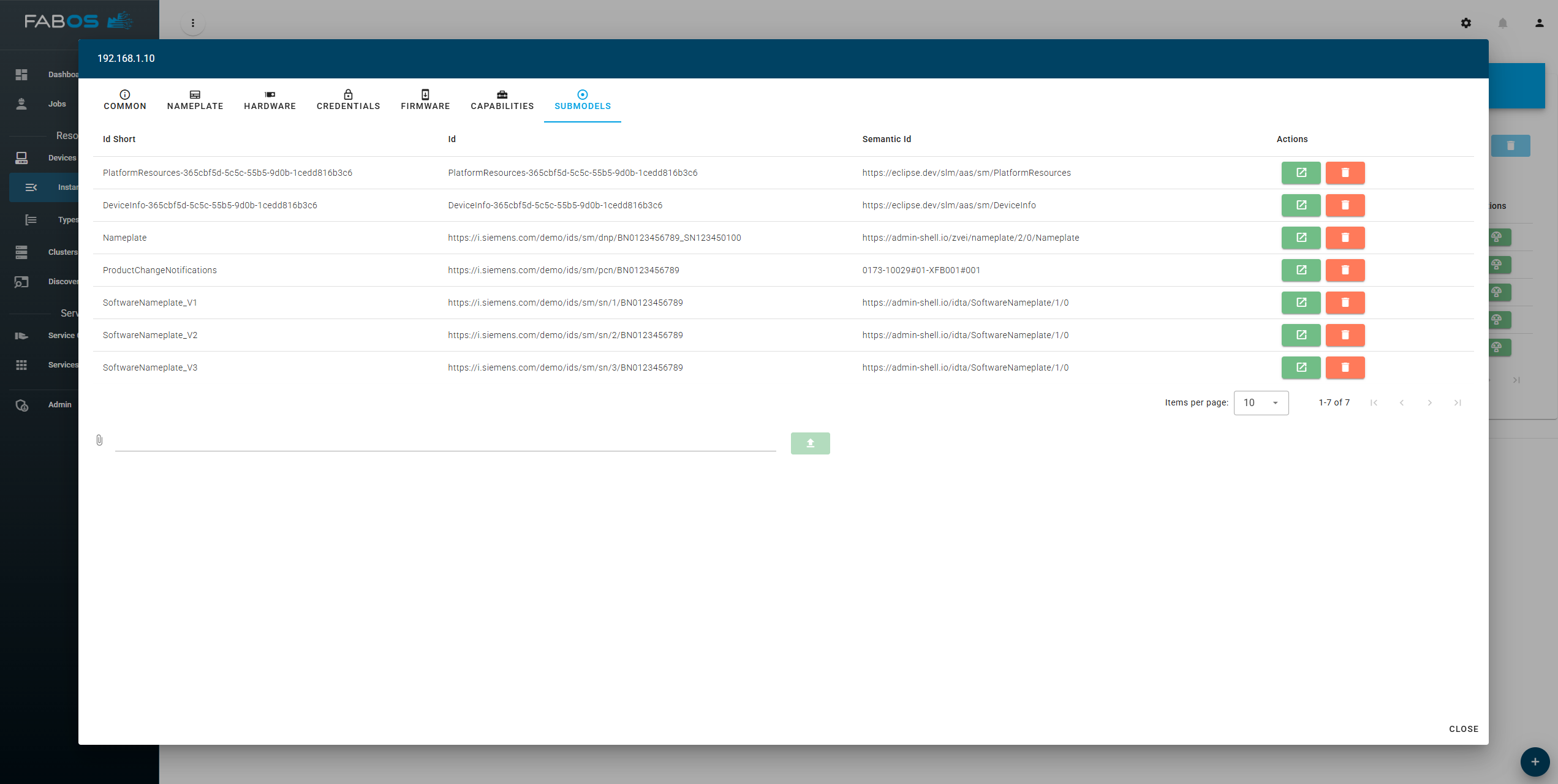
Firmware update files
Firmware update files are manged per device type. This means that all devices of a specific type share the same firmware update versions and files. This is based on the assumption that devices of the same type have the same hardware and thus can be updated with the same firmware. To manage the device types go to the device type overview and select the device type to manage. 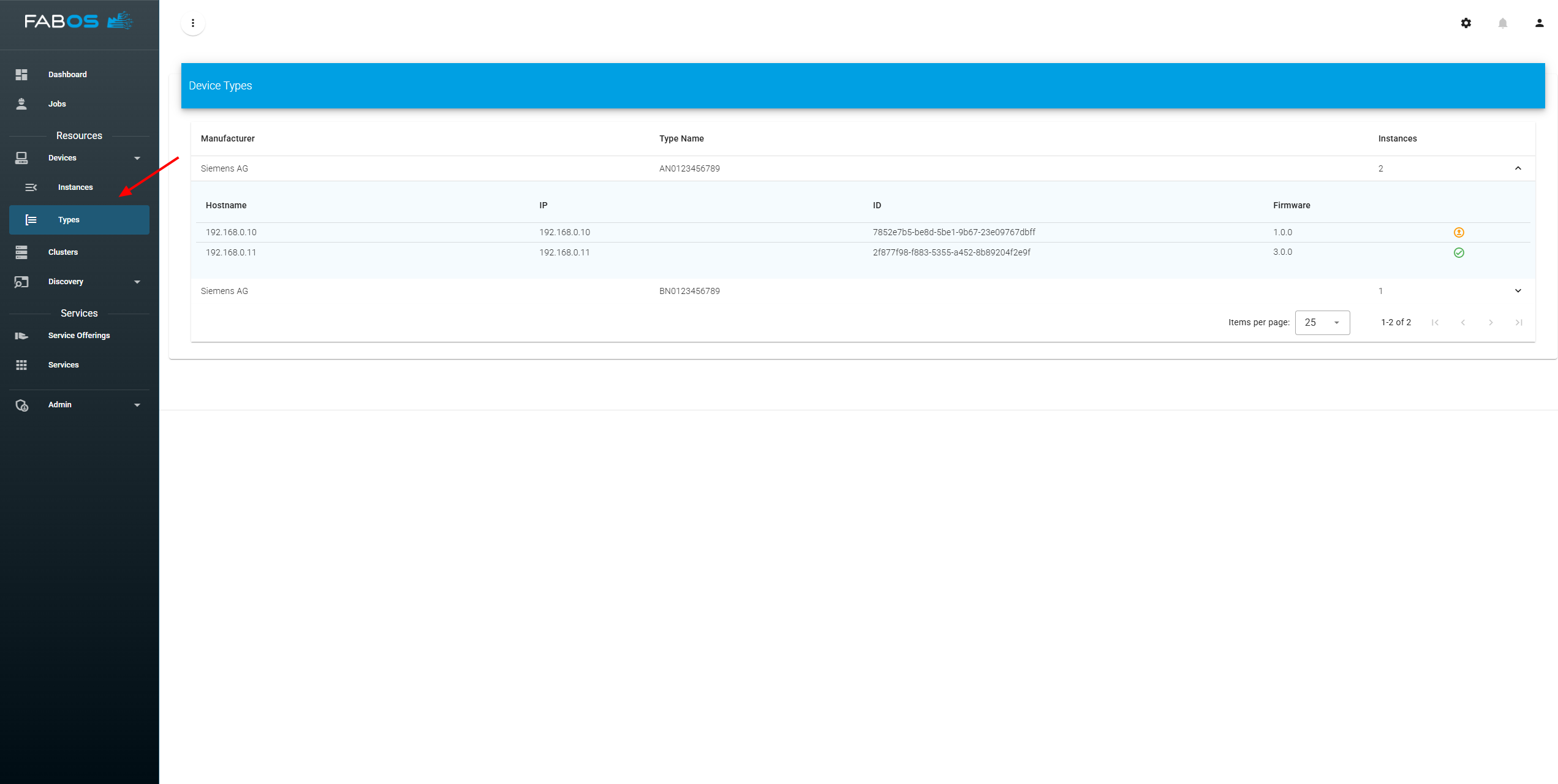
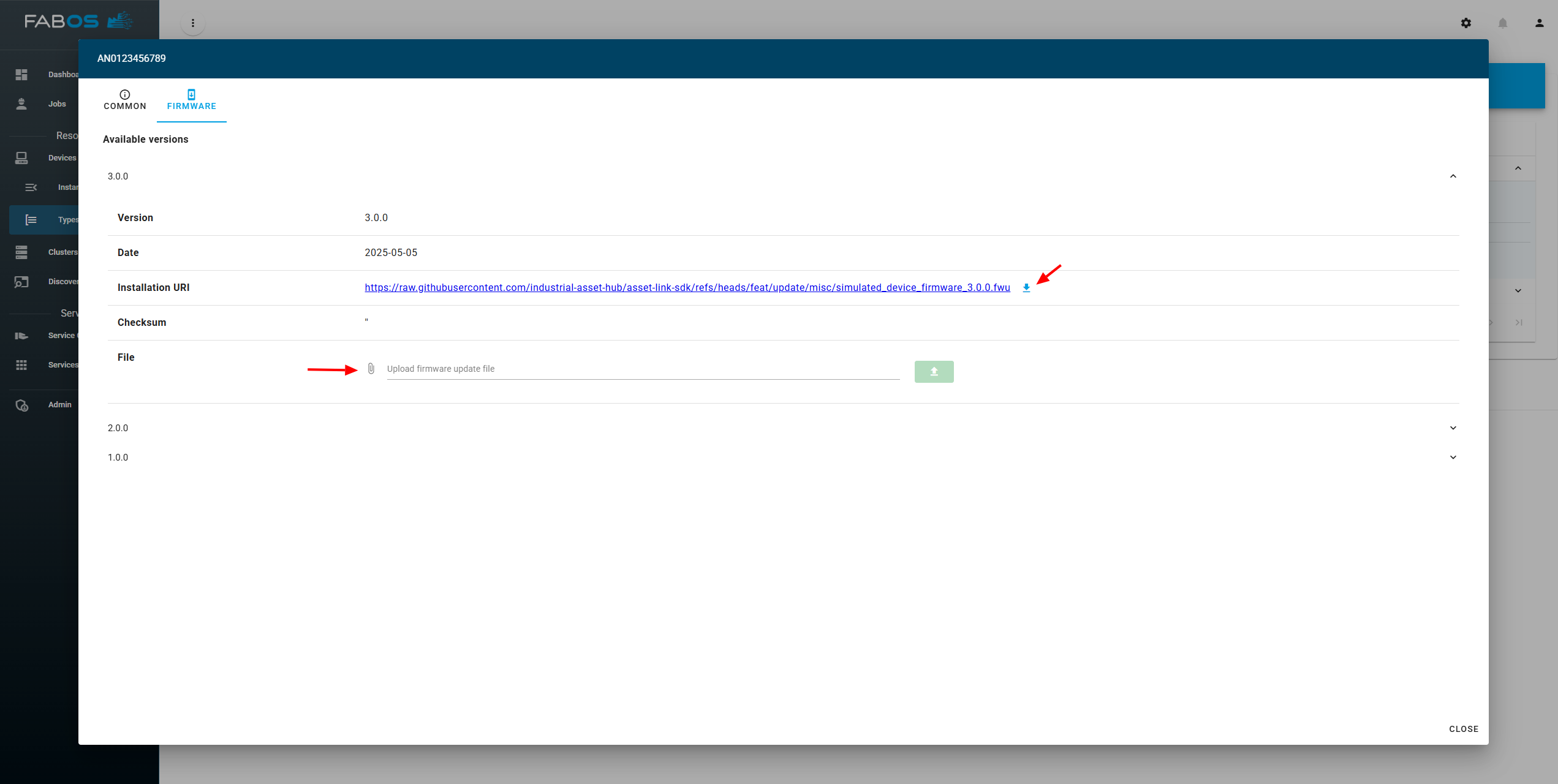
For each device type, available firmware updates can be provided in two ways:
- Direct download via a configured URL by pressing the download button beside the installation URI. This will trigger the download of the firmware file from the manufacturer's server and store it in SLM. THe installation URI must be publicly accessible.
- Manual upload of firmware files
Execute firmware update
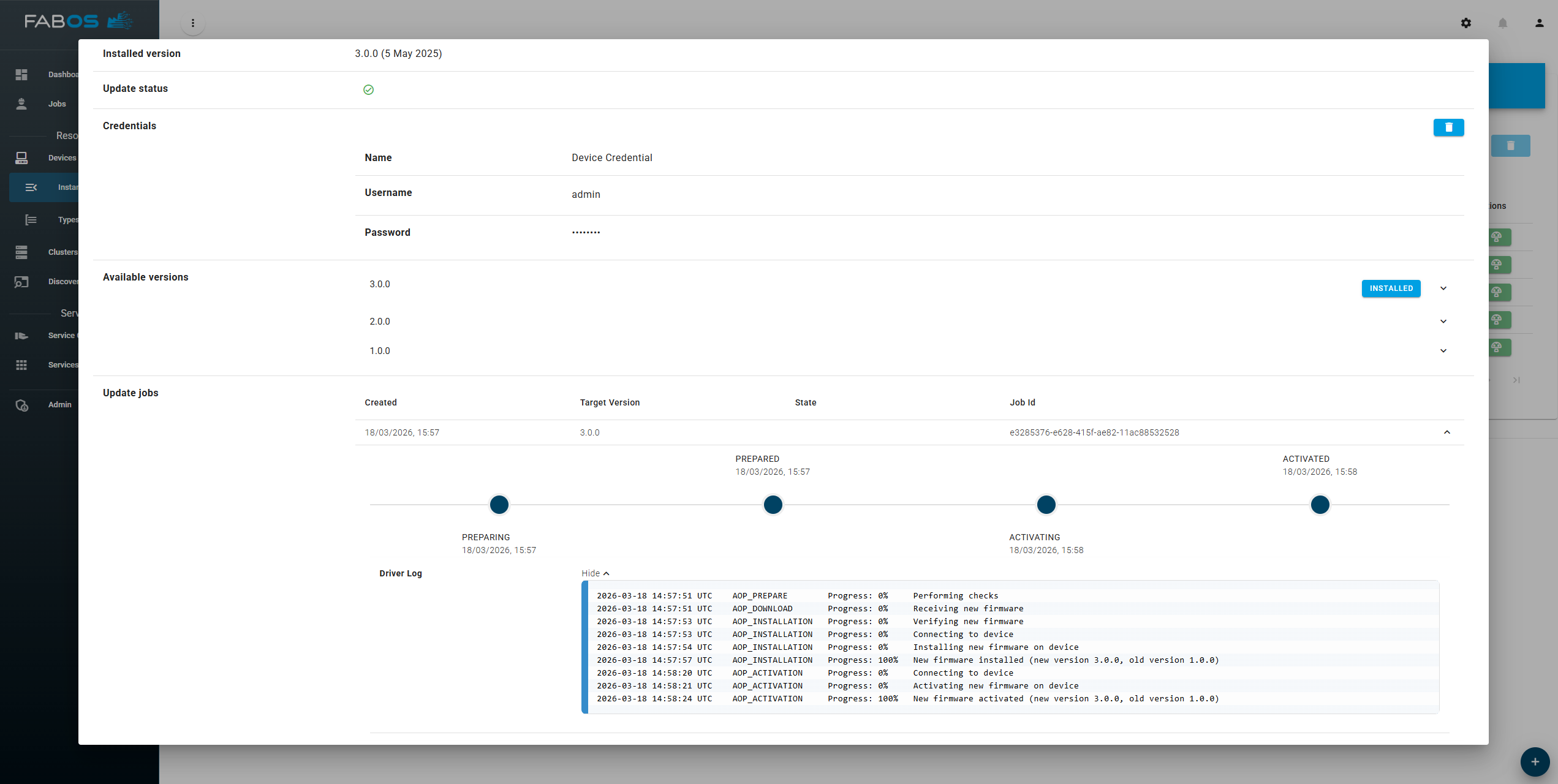
In the details view of a device instance, available firmware versions can be inspected and an update can be triggered directly. 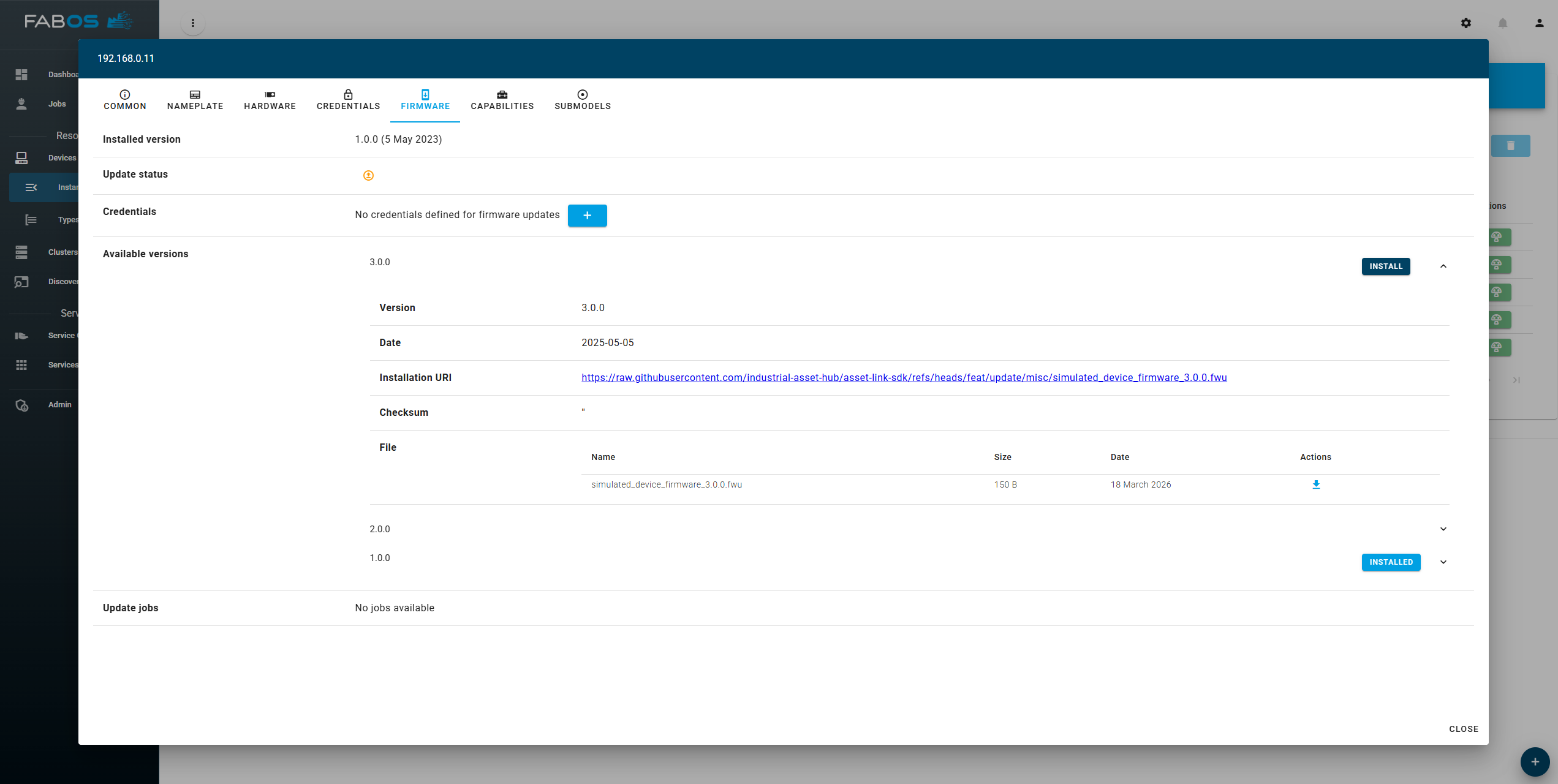
If the firmware update process on the target device requires credentials, they must be created first or existing credentials must be linked to the device. The conceptual description of the credential management is available in the Credential Management section. 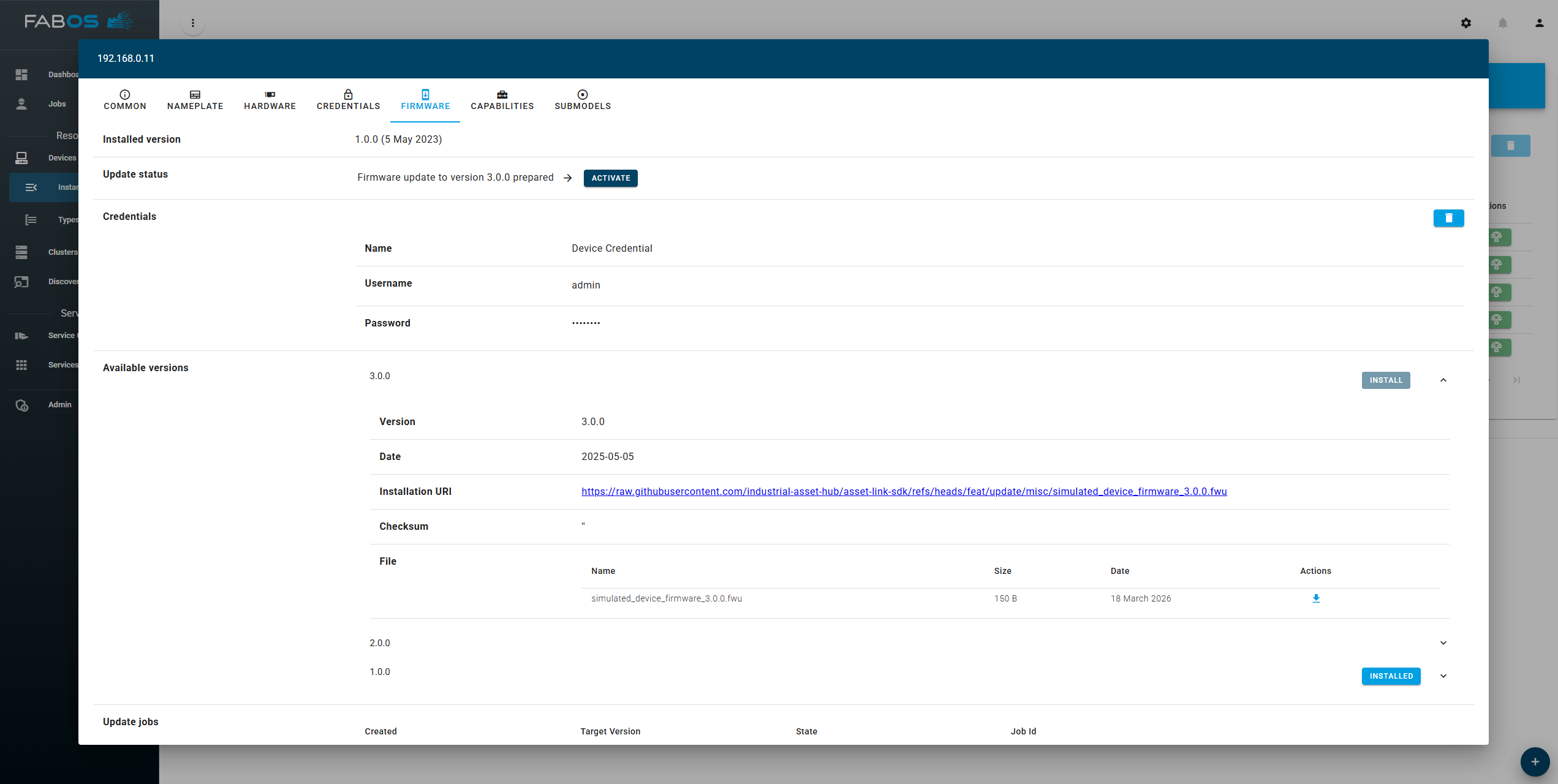
During the update process, the job status is shown including individual steps and driver log output. After successful completion, the new firmware version is marked as installed and the firmware version is updated.