Credential Management
This page describes the concept behind credential management in SLM and how to use it via the UI. The credential management provides a consistent way to:
- store sensitive authentication data securely
- represent credential metadata in a domain model
- assign credentials to technical entities (for example resources or services)
- control usage via scopes
The goal is to keep secret handling centralized while allowing multiple components to reuse credentials in a controlled way. The central credential management is done via Platform Management, while for the actual secret storage, Vault is used as a secure backend.
Concept
Core model
The model is centered around the Credential aggregate and three dimensions:
- Credential: What the credential is (metadata and reference to secret data)
- Credential Data: What the credential contains
- Credential Entity Links: Where the credential is used
Credential is the main object and contains an identifier, name, scopes, and a reference to the Credential Data (secret payload). The Credential Data is polymorphic and can represent different types of credentials (for example username/password or key pairs). A Credential Entity Link connects one credential to one domain entity. A credential can have multiple links and therefore be reused across multiple entities if allowed by scope and business rules. A credential is considered as orphaned when no relevant business links remain. In SLM-specific rules, this may be further constrained (for example by remaining link types or non-empty scopes).
Separation of concerns
The concept separates responsibilities into three layers:
- Metadata layer: Credential, links, scopes, names
- Secret payload layer: concrete credential data values
- Security/storage layer: secret persistence and access control
According to the model note, secret payload is stored in a Vault KV secret engine. The domain model references this data but does not expose internal Vault structure.
Security principles
Credential Management follows these principles:
- Least privilege through scopes
- Explicit ownership and linkage through entity links
- Strict type safety through different credential data types
- No secret duplication across entities
- Centralized secret storage in Vault
Operationally, secret read access is stricter than metadata access.
Usage in UI
The UI provides a centralized credentials section in the user profile. It allows users to search and filter credentials by scope, inspect metadata and view non-sensitive credential details in a structured way. 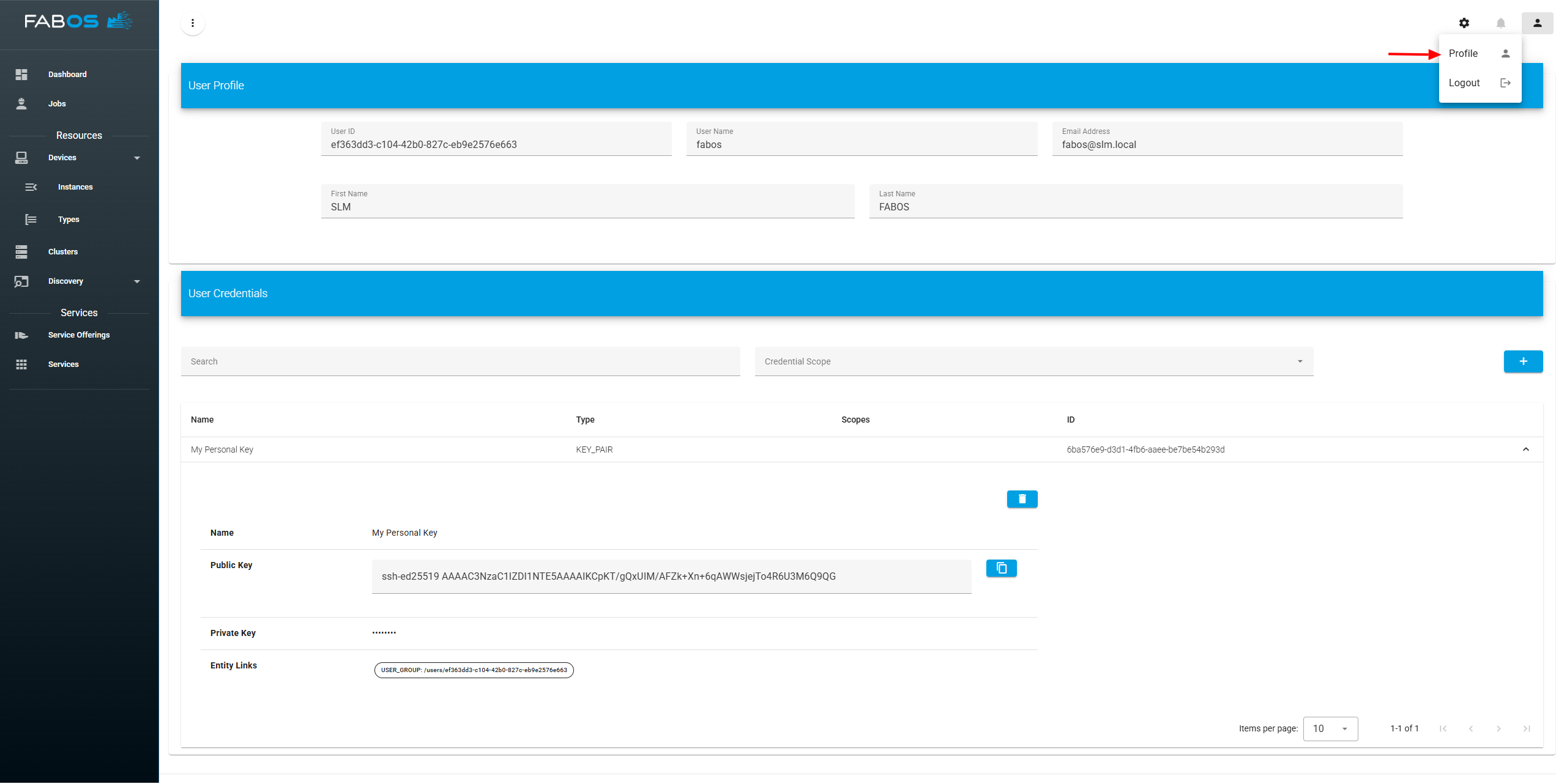
Create credential
New credentials can be created directly from the credentials section. The dialog guides the user through selecting the credential type and entering the required fields (for example username and password) together with a descriptive credential name. Credentials can be also created in the context of a specific entity (e.g., when creating remote access for a resource) and then linked to that entity immediately after creation. 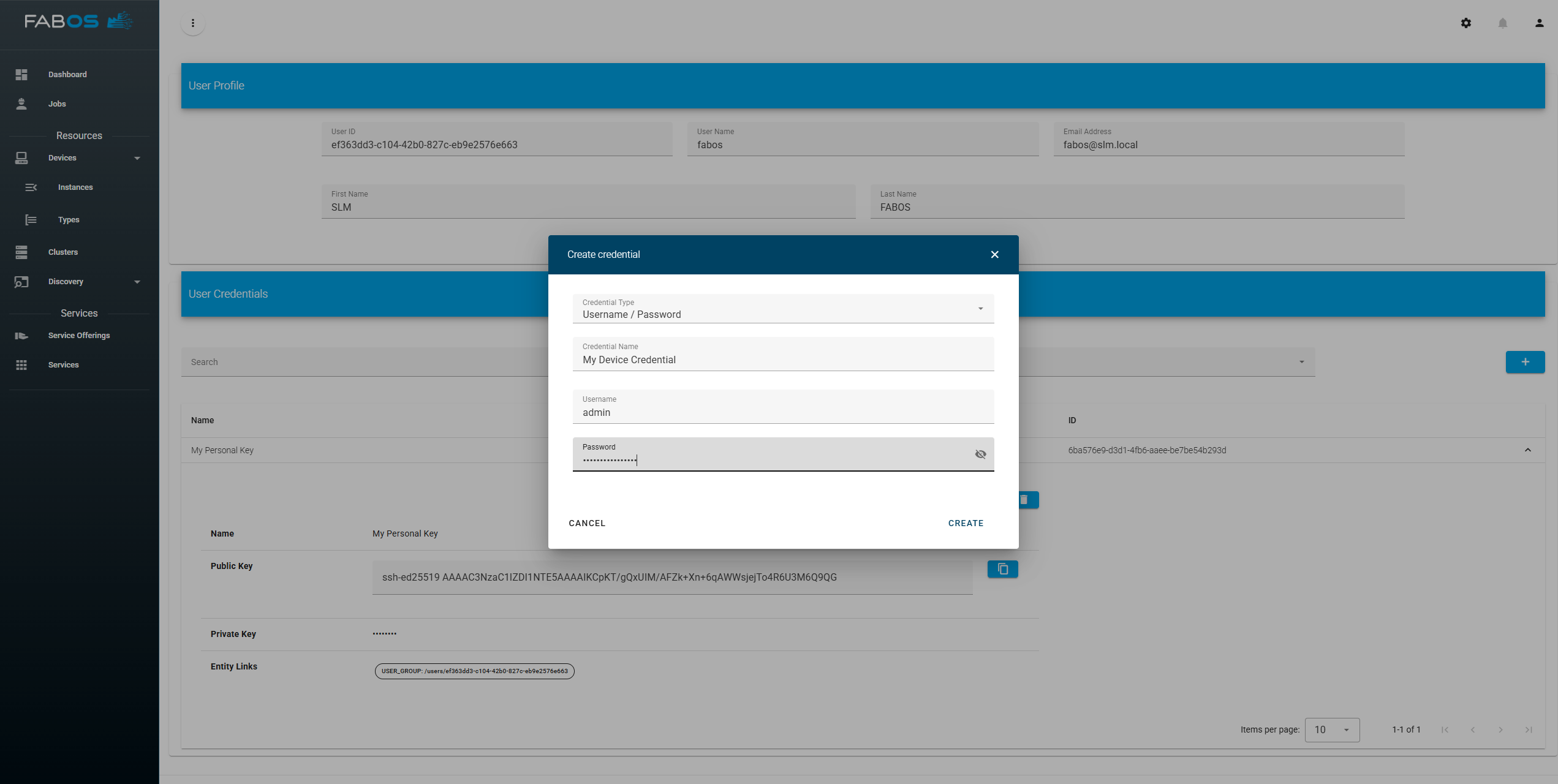
Use credentials
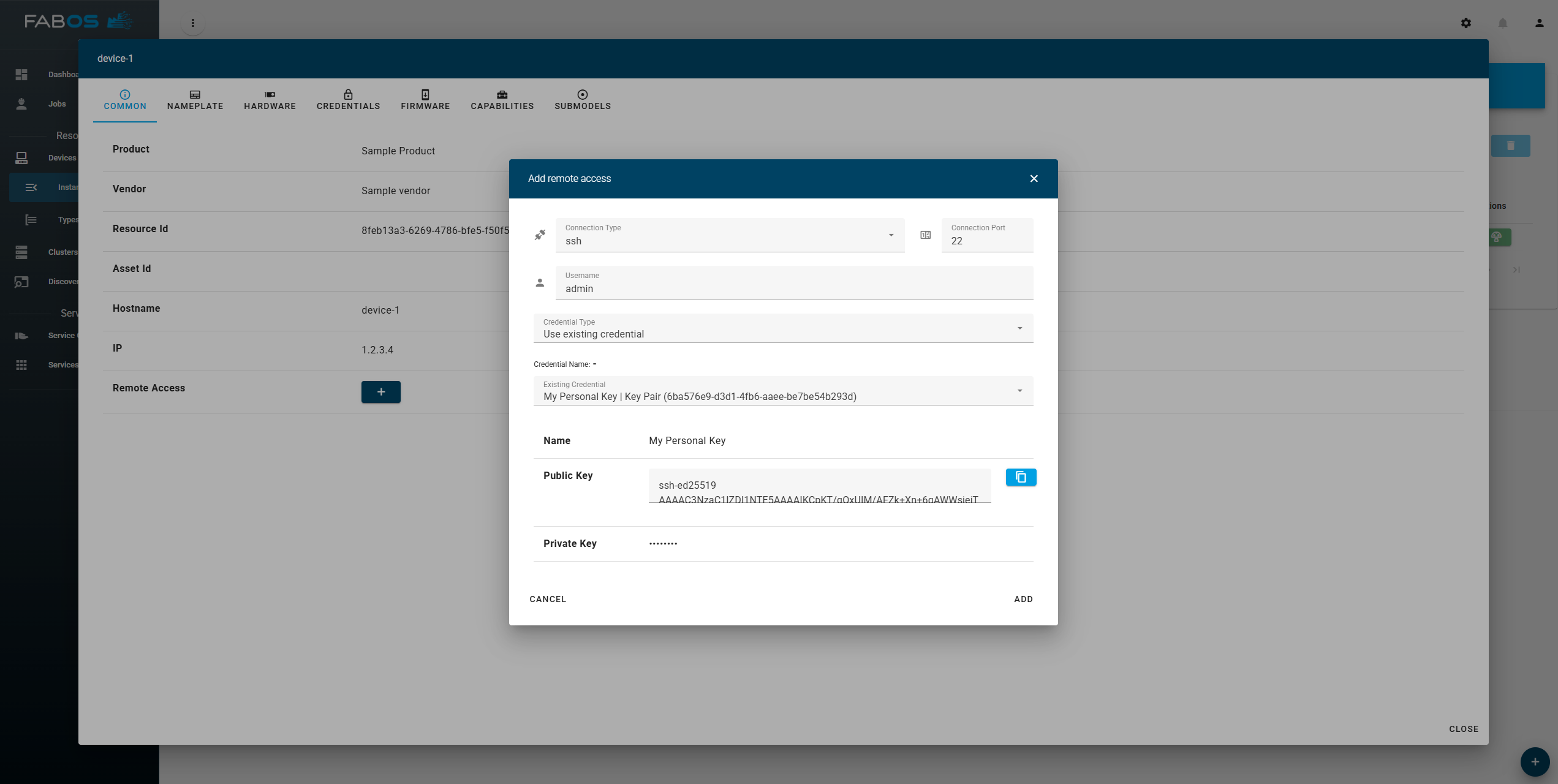
A Credential can be used in any entity that requires credentials (e.g., credentials for remote access to a resource). When using a credential, the user can either select an existing credential or create a new one. In this example, an existing credential is selected and immediately shown in the credential preview area (including non-sensitive metadata). 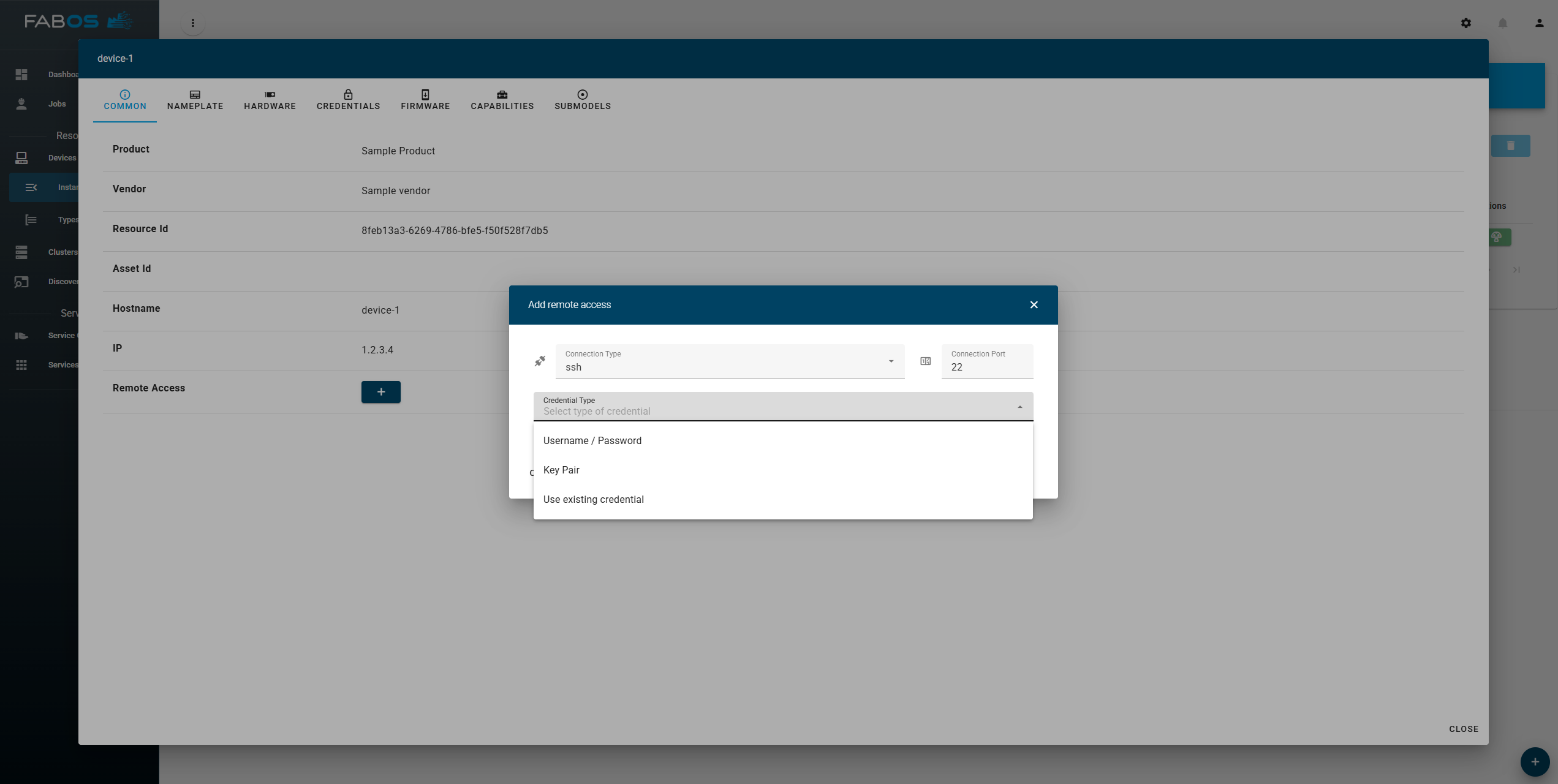
After confirmation, the selected credential is linked to the created remote access configuration of the device. This enables reuse of managed credentials without duplicating secret data.